


SwitchBot Smart Lock Pro combo | Professional Smart Lock Kit
Payment Methods
SwitchBot Smart Lock Pro combo | Professional Smart Lock Kit
🧭 Product Introduction
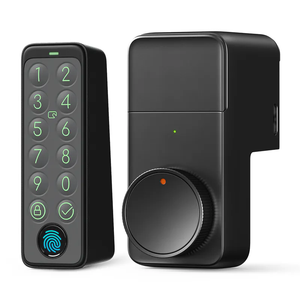
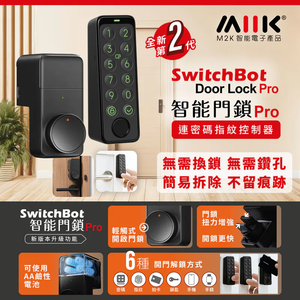
SwitchBot Smart Lock Pro with Keypad Touch Control Combo Set is an integrated... Smart Lock Pro, a high-end smart door lock With touch screen Keypad Touch Control Password Keyboard A professional safety kit.
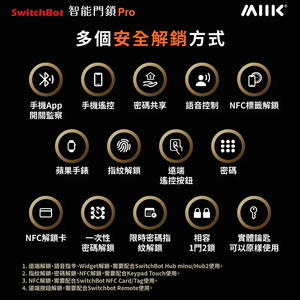
It comprehensively enhances the security of home and office entrances through multiple unlocking methods (fingerprint/password/App/proximity card/touch keyboard), and supports smart home App management, authorization sharing, unlock record query and push notifications, providing a modern door lock security solution.
This kit can be installed without replacing the entire door handle structure, saving time and effort. It also supports multi-user management and remote authorization, making it an ideal choice for users who value security and convenience.
⭐ Key Features
🔓 1. Multiple unlocking methods
-
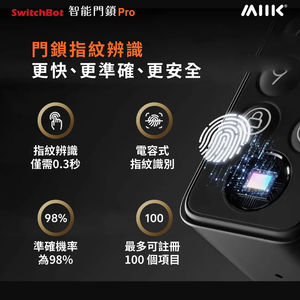
Fingerprint unlockFast, accurate, and enhances security.
-
Touch keypad unlock(Keypad Touch Control)
-
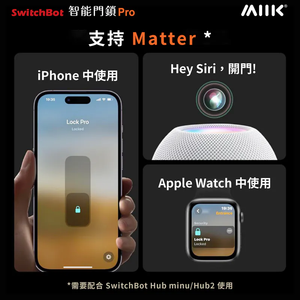
Smart unlock via mobile app
-
Proximity card/virtual password Multiple licensing models
Multiple unlocking methods allow you to enter and exit without carrying a traditional key.
📱 2. Smart App Security Management
-
Instantly view unlock/unlock attempt records
-
settingsAuthorized user and temporary password
-
Unlock notification and alarm reminder
-
Remote authorization and management of multiple users' usage.
-
Provides flexible management and security logging capabilities.
🛡️ 3. Enhanced physical security design
-
Robust and durable metal structure and damage-resistant materials
-
Anti-pry warning system
-
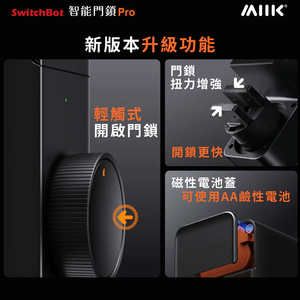
The automatic locking mode allows you to set a delay for automatic locking to prevent forgetting.
✋ 4. Keypad Touch Control Smart Touch Keyboard
-
The touch panel offers intuitive operation and excellent usability.
-
Supports virtual passwords and privacy display design
-
More durable with waterproof and dustproof rating
-
It can be used as the main unlock entry point or visitor code entry point.
🔧 5. Easy to install
-
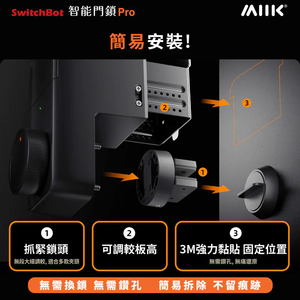
Installation can be performed without replacing the entire lock cylinder.
-
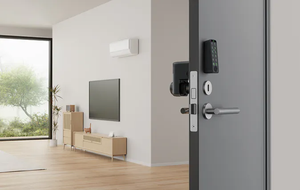
Compatible with existing door lock structures
-
Suitable for professional installation or self-installation
📊 Product Specifications
| project | illustrate |
|---|---|
| Unlocking method | Fingerprint/Password/App/Proximity Card/Touch Keyboard |
| Fingerprint capacity | Support for multiple user fingerprints |
| Password mode | Master password / Virtual password / Temporary password |
| Sensing mode | Proximity card (depending on version) |
| Lock body material | High-strength alloy structure |
| Keyboard characteristics | Touchscreen password/privacy design |
| Protective performance | Anti-vandalism/anti-pry warning |
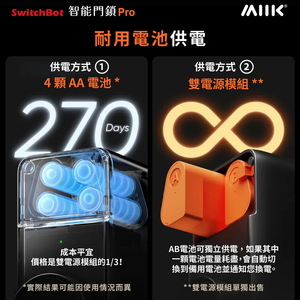
| Power supply method | Battery powered (long life) |
| Operation | Touch + App control |
| Applicable thickness | Suitable for a variety of door thicknesses |
| Applicable scene | Residential/Apartment/Office Entrance/Rental |
📦 Set Contents
-
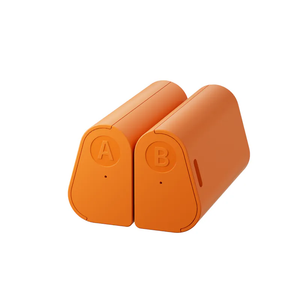
SwitchBot Smart Lock Pro Main Unit × 1
-
Keypad Touch Control Smart Touch Keyboard × 1
-
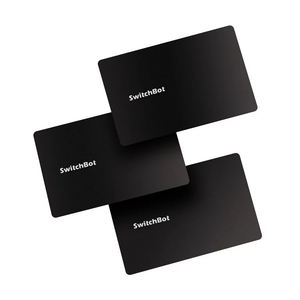
Proximity cards (if provided) × Several
-
Mounting accessories and screw set × 1 set
-
User Manual × 1
-
Batteries x Several (depending on the shipped version)
-
Installation guide file × 1
🏷 Reasons to buy
✔️ Multiple security unlocking modesMultiple protection methods including fingerprint, password, touch keyboard, proximity card and App.
✔️ Smart Management and NotificationUsers can view unlocking records, set authorizations, and push security alerts.
✔️ Strengthen physical securityHigh-strength lock body and anti-pry sensor design enhance doorway security.
✔️ Touch keypadIntuitive operation, privacy display, suitable for multiple users or guests.
✔️ Easy to installIt can be integrated and installed without removing the original lock frame.
| content |
suit, Only SmartLock Pro, Keypad Touch Only, Only the Dual Power Pack is included (not included in the initial package)., There are only 3 electronic door lock unlocking cards in the set (including 1 card in the initial set). |
|---|
Step 1: Select Products

Step 2: Select Product Quantity and Add to Cart

Step 3: Click on the Shopping Cart

Step 4: Check Quantity and Product Information and Pay in the Shopping Cart

Step 5: Enter Payment Page (Select Delivery Method)

Step 6: Fill in Detailed Shipping Address; and Enter Discount Code (if any)/Member Discount Code

*The following is a member discount code query
*Click the Member Points button and log in

*Redeem > copy > Enter the discount code to enjoy the discount!

Step 7: Enter Payment Information (Credit Card/Other Methods)

Step 8: Complete Purchase

Apple Pay, Google Pay, WeChat Pay, Alipay, FPS, UnionPay. PayMe (Please contact us via WhatsApp/IG to place your order)